Features in Depth · Real Screenshots
Every screenshot below is the real product UI — mobile shots come from an actual phone browser, PC shots match the desktop-client aspect ratio. Look first, then try it live online.
AI Video · Infinite-Canvas Node Pipeline
Each node carries one creative step and edges define the data flow — you confirm each output before the next step runs.
Full canvas · desktop-grade toolbar · Spotlight
The top toolbar has it all: Help / Layers / Assets / AI Assistant / Review / Canvas / Storyboard / Timeline / Refresh / Tidy-up. The canvas supports drag-pan, scroll zoom, box-select, minimap navigation and fit-to-view.
- Single-node rerun: redo only the step you dislike and keep the rest
- Color states: grey = pending / blue = running / green = done / red = failed (reason shown, fix and rerun)
- Official templates pre-lay the skeleton: Blank / Short Drama / Ads / Previs — nodes only, no execution, no credits
- "✨ Idea → Storyboard" lays the script-to-storyboard skeleton from one sentence
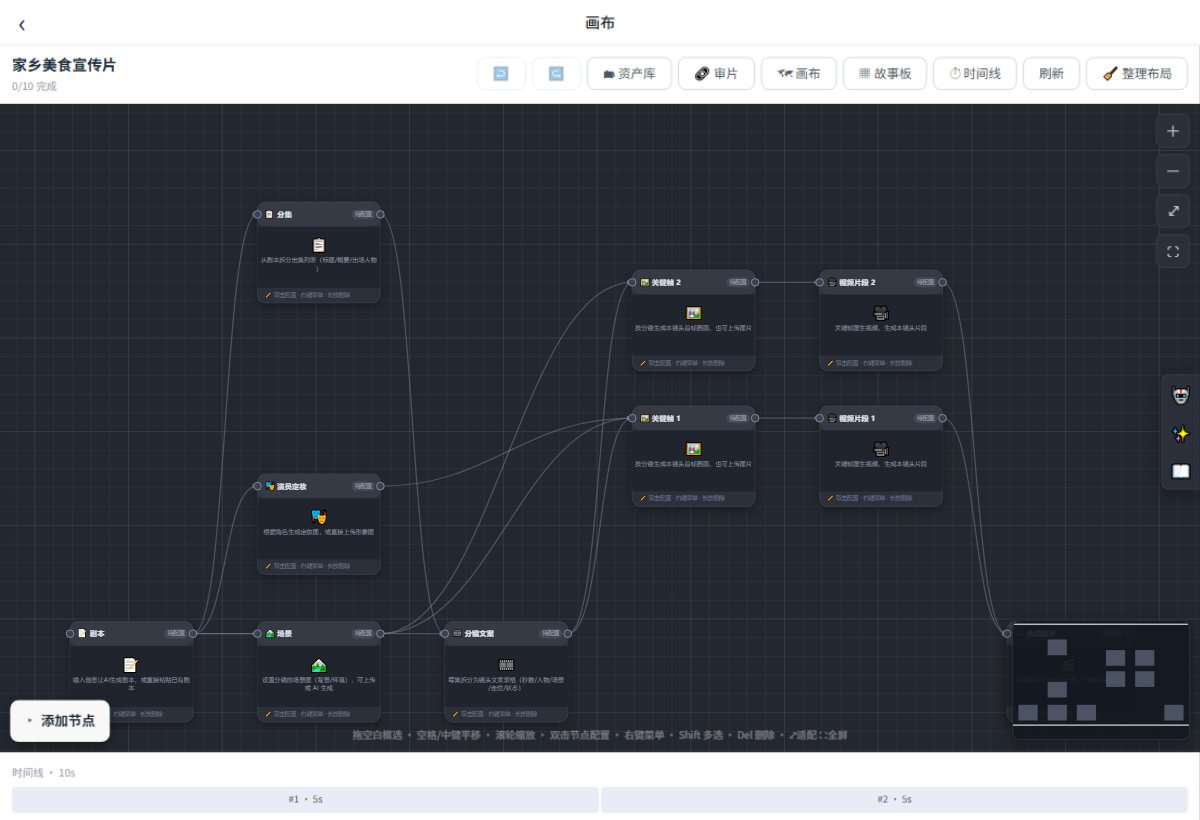
Aimovie · Canvas Overview (PC)
10 Node Types
Every step from script to final cut is a node; execution is step-by-step and manual — double-click to configure, credits estimated and frozen before generating.
| Node | What it does |
|---|---|
| 📝 Script | Pipeline start: AI expands your idea or paste a script manually (manual = zero credits) |
| 📚 Episodes | Split the script into 1–5 episodes (title + synopsis); optional for long scripts |
| 🎬 Storyboard | Shot table: duration / characters / visuals / camera / blocking / lines; edit via AI chat, then lay shot nodes in one click |
| 🧑🎭 Character Sheets | Per-character looks (front / side / full-body) referenced by keyframes to keep appearances consistent |
| 🖼️ Keyframes | First-frame art per shot, auto-injecting sheet references and shot descriptions; add prompts and pick sizes |
| 🎥 Video Clips | Image-to-video: keyframe as first frame + sheets as reference; billed per second |
| 🎙️ Dubbing | TTS for all lines; pick models, edit text, auto-mixed at compose time |
| 🎞️ Compose | FFmpeg concatenates clips into the film (burn subtitles / mix audio); the cloud app guides you to the desktop app for final rendering |
| ✂️ Editing | Multi-track timeline node: arrange tracks, then cut the film in track order at compose time |
| 🖼️ Reference Image | Node created by dragging from the asset library; plug into keyframes as style reference |
Billing: text per token, sheets & keyframes per image, video per second, dubbing per 10k characters, composition carries a platform fee — live per-model prices in the Model Marketplace.
Mobile H5 · the primary form · Mobile-first
Open the site in a phone browser (or WeChat's built-in browser) and you are in the workspace — no install. Narrow screens switch to a bottom TabBar (Home / Videos / Me) with a full-screen canvas, edge-docked toolbar and centered dialogs.
- Sign in / sign up: account + password, SMS codes, plus WeChat / Alipay / Google / X OAuth
- Home is the canvas empty state: "+ New Video Project" picks a name, template and space (personal / team)
- Pinch to zoom, drag to pan, box-select and minimap — same gestures as PC
- Plans / credits / check-in / team management form a complete loop on mobile
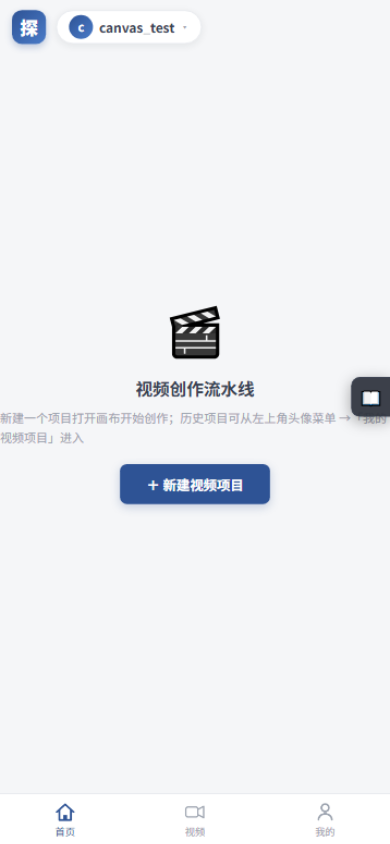
Home · canvas empty state
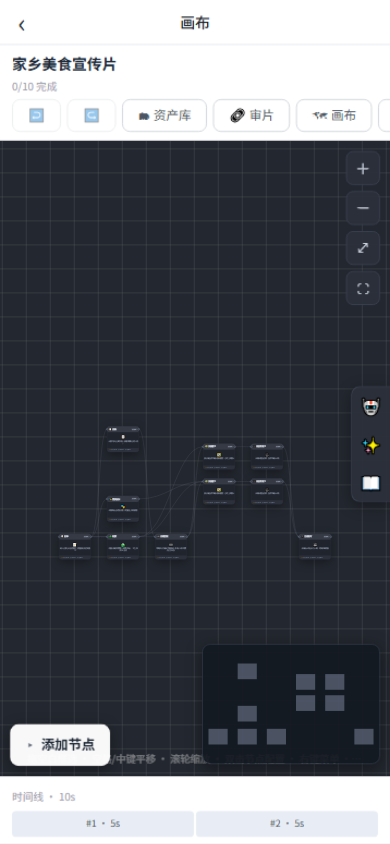
Canvas · node pipeline
AI Assistant · Assets · Help
The conversational agent drawer ships with roles like "Short-Drama Head Writer" and "Prompt Engineer" — one line in: synopsis, episode outlines and character cards out, written onto the canvas in one tap.
- AI writes scripts and lays out storyboards; apply results to the matching nodes
- Asset library: private images (references / scenes / characters), searchable and favoritable
- Drag assets onto the canvas as node inputs and reuse them across projects
- Help is docked to the canvas edge; "?" beside every node dialog opens node-specific help
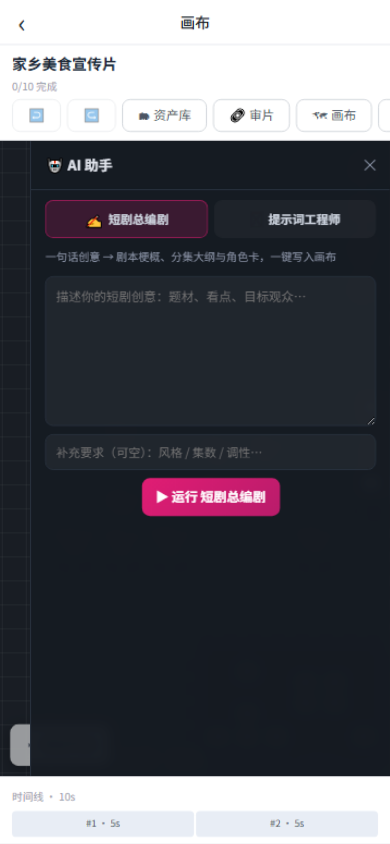
AI Assistant · role-based chat
Timeline Editing & Storyboard
Editing nodes carry a multi-track timeline; the storyboard browses every shot's copy and visuals in table form, ready to export.
- "⚡ Build tracks from canvas clips": finished clips / dubbing laid onto tracks in storyboard order
- Preview plays video tracks in order; audio tracks mix in at compose time
- Storyboard: browse shot copy and visuals in a table
- Export SRT subtitles / CSV shot lists
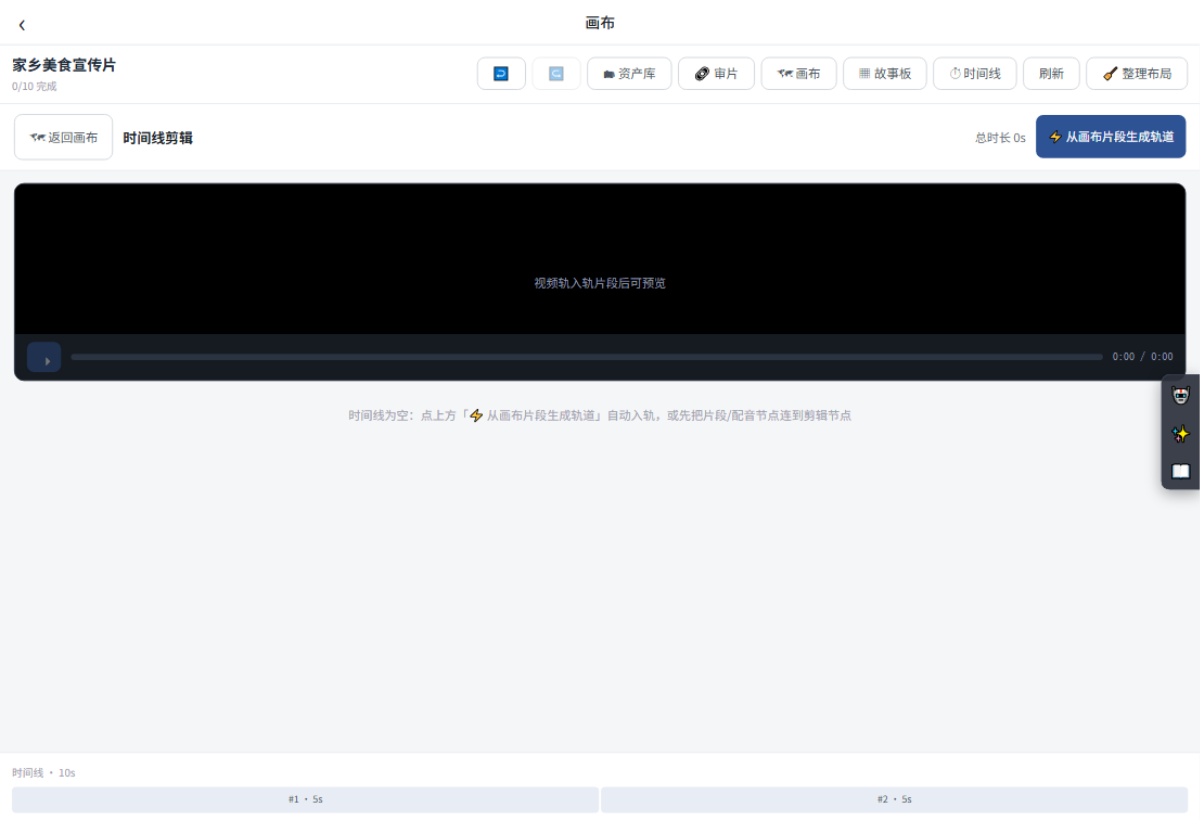
Aimovie · Timeline Editing
Client Review Links
Create a link from the canvas toolbar "Review"; clients open it and comment per shot / timecode on a board — no sign-up needed. Feedback returns to the canvas for fixes.
- Watermark, expiry and access password supported
- No registration or login — open the link and annotate
- Precise comments per shot / timecode, auto-collected
- Rerun, then send a new version link to compare and confirm
Team Collaboration · complete on mobile too
Create a team (creator becomes owner) → invite members by username and assign roles → choose the team as the project space so members share it.
- Five roles: Owner > Admin > Editor > Reviewer > Viewer
- Four team tabs: Members / Credit Pool / Approvals / Logs
- Team credit pool: team generations freeze and settle from the pool; admins transfer from personal balance, ledger visible to all
- Approvals: editors submit, reviewers and above approve / reject (no self-review); nine action types fully logged
Plans & Credits · clearly priced
8 plans on sale: 4 All-in-One tiers + 3 Director tiers + Studio Team. Monthly credits = monthly price × 100 (¥1 = 100 credits); yearly = 10× monthly, saving 2 months.
- Billed at actual model prices: precheck – freeze – settle, refunded in full on failure
- Credit sources: 100 on sign-up / daily check-in (streak bonuses) / monthly plan grants / top-ups
- Payments: WeChat / Alipay aggregation plus Creem / PayPal for foreign currency
- In-app cancellation: runs to period end by default, or cancel immediately; upgrades apply now, downgrades at period end
The full entitlement matrix (daily calls / model tiers / resolution / duration caps / seats) is in Help Center · Plans & Credits; live prices on the Plans page prevail.
Desktop App · edit final cuts locally
The Windows client is about 89 MB — no dependencies. The cloud skips final composition by design: download the project locally for more convenient editing and a simpler workflow, while billing stays in your cloud account.
- "⇩ Import from cloud": enter your cloud credentials to download the canvas and assets, then keep creating and editing locally
- Editing and slicing run locally: a smoother workflow, no queue
- Cloud pre-freeze: credits frozen at submit and settled after upload; if the client goes offline for 2+ hours the cloud auto-refunds
- Auto-update: the client prompts when a new version ships, one click to install
Aimovie Workspace (Windows)
- 🎞️ "Rainy Night Journey" — short film · 6 shots · assets ready · from cloud · 78%
- 🚀 Local editing engine · Concat · subtitles · mix → MP4 · ⚙️ Built-in engine
- Finished films are saved to your Downloads folder
Convinced by the pictures? Try it yourself
100 free credits on sign-up — start creating right from your phone browser.