๐ŸŽฌ AI Video Studio

Infinite canvas, AI video creation

Type one line of an idea and the studio writes the script, lays out the storyboard, generates character sheets and keyframes, then animates, dubs and composes the film. Building blocks for your video โ€” with every step confirmed by you before the next one runs.

100 free credits on sign-up ยท Mobile, browser and Windows desktop, all synced

๐Ÿ“ฑ

Runs on your phone

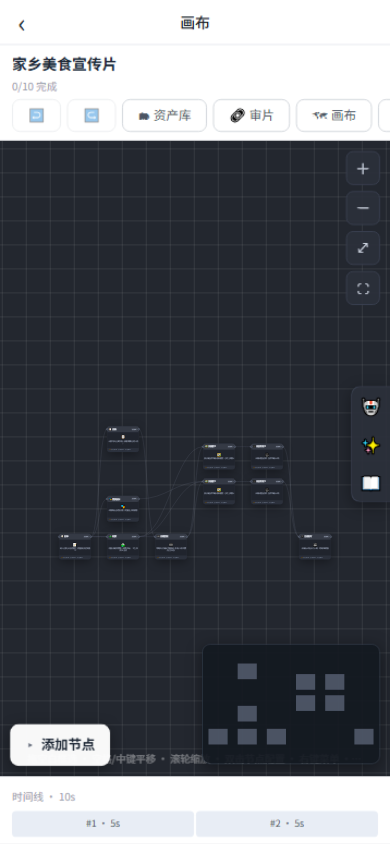
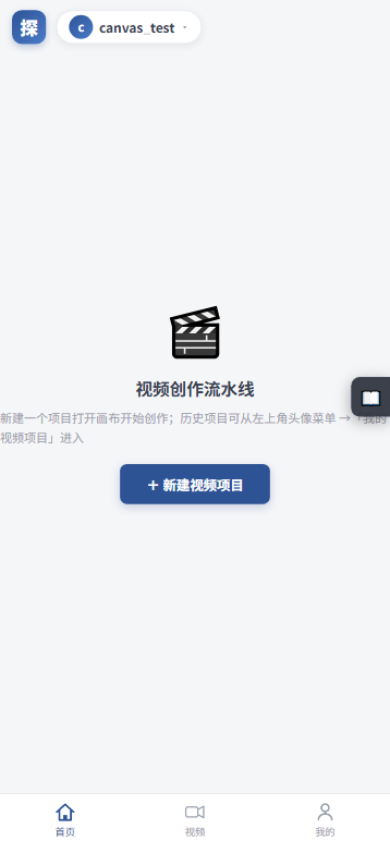
Open the studio in a mobile browser and you're straight into the workspace โ€” no install. Bottom tab bar, full-screen canvas and an edge-docked toolbar.

๐ŸŽฌ

A node-based pipeline

Script โ†’ storyboard โ†’ character sheets โ†’ keyframes โ†’ clips โ†’ dubbing โ†’ compose. Confirm each output before the next step, and rerun any single node.

๐Ÿ‘ฅ

Teams & client review

Shared team spaces with a credit pool and an approval flow. Clients annotate shots by timecode through review links โ€” no sign-up needed.

Core features

From one idea to a deliverable film

A node-based workflow breaks creation into controllable steps: confirm each output before running the next, so nothing is ever a black box.

The infinite-canvas node pipeline

Create on an infinite canvas where the edges between nodes define the data flow. Official templates โ€” Blank, Short Drama, Ads and Previs โ€” pre-lay the node skeleton, and a one-line prompt builds the first steps for you.

  • 10 node types covering the whole pipeline
  • Single-node rerun: redo only the step you dislike and keep the rest
  • Colour-coded node states: pending, running, done, failed
  • Credits estimated and frozen before running, settled by real usage
1Script
Expand a one-line idea into a full script
2Episodes
Split long scripts into episodes
3Storyboard
Shot list: camera, blocking, dialogue
4Scene / Character
Scene art and character sheets
5Keyframes
First-frame art for every shot
6Video clips
AI animates each shot
7Dubbing
One-pass voice-over for all lines
8Compose
Concat, subtitles, mix โ†’ MP4
See it in action

Timeline, storyboard and review

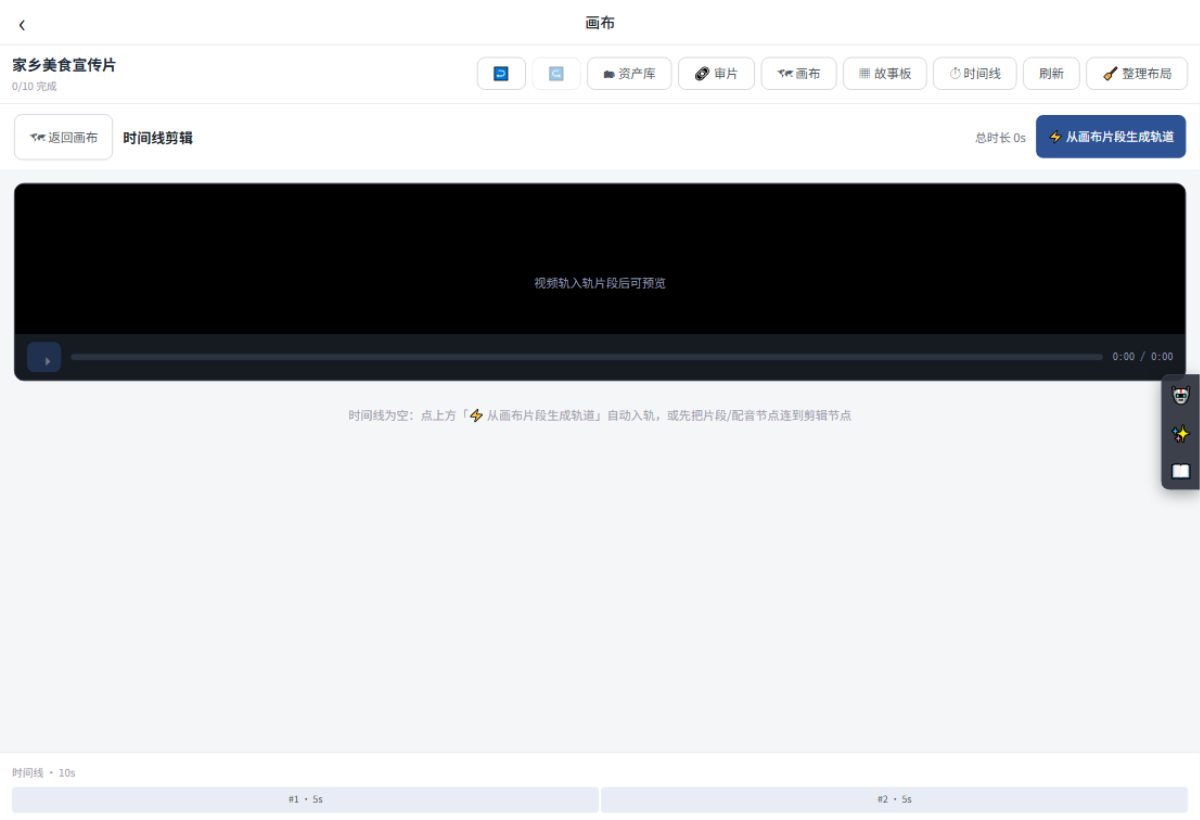
Editing nodes carry a multi-track timeline. Lay finished clips and dubbing onto tracks in storyboard order with one click, then browse every shot and export deliverables.
Timeline editing
โšก

One-click tracks

"Build tracks from canvas clips" lays tracks in storyboard order automatically.

๐ŸŽž๏ธ

Storyboard export

Export SRT subtitles and CSV shot lists straight from the storyboard.

๐Ÿ”—

Client review links

Watermark, expiry and password options โ€” clients comment per shot and timecode, no account required.
Canvas empty state
Node pipeline
AI assistant
Team collaboration

From solo creator to team production line

Create a team, invite members and assign projects to the team space. Team generations draw from a shared credit pool, and every action is auditable.

๐Ÿ‘ฅ

Five roles

Owner, admin, editor, reviewer and viewer. Invite, change roles or remove at any time.

๐Ÿ’ฐ

Credit pool

Team generations freeze and settle from the pool; admins can transfer from a personal balance, with a ledger visible to all.

โœ…

Approval flow

Editors submit approvals; reviewers and above approve or reject โ€” no self-review, fully logged.

๐Ÿ“œ

Audit log

Team creation, invites, role changes, projects, approvals and transfers โ€” all recorded.

Desktop

Finish the final cut locally

The Windows client is a lightweight installer with no dependencies. The cloud generates all the assets; the desktop app imports the project and finishes the film on your machine, so editing is faster and never queues. Billing stays on your cloud account.

๐ŸชŸ

Windows desktop

Import cloud projects with their canvas and assets, then compose locally. New versions prompt a one-click update.

๐ŸŒ

Everything works online today

Script, storyboard, keyframes, clips and dubbing are all generated in the cloud. Start right now in your browser โ€” nothing to install.

FAQ

You may want to ask

It says "Please log in" when I generate?

Click the avatar pill at the top-left to log in or sign up โ€” you get 100 free credits on registration.

It says "Plan required"?

Video generation needs a plan with video credits. Follow the prompt to open the plans page; it takes effect as soon as payment succeeds.

Not enough credits?

Top up your balance, claim your monthly plan credits, or (for team projects) ask a team admin to transfer from a personal balance into the team pool.

What if a generation fails?

Failed tasks cost nothing โ€” the pre-frozen amount is refunded in full. Fix the parameters and rerun just that node; nothing else is affected.

Online vs desktop โ€” what's the difference?

The cloud generates all assets (script, storyboard, keyframes, clips, dubbing); the desktop app imports the project and finishes the final cut locally. Billing stays in your cloud account either way.

Who owns the generated content?

Content you generate belongs to your account and can be downloaded freely. Please follow applicable laws and platform content policies.

Bring your ideas to the studio

100 free credits on sign-up โ€” start creating right from your phone browser.